At Your Fingertips
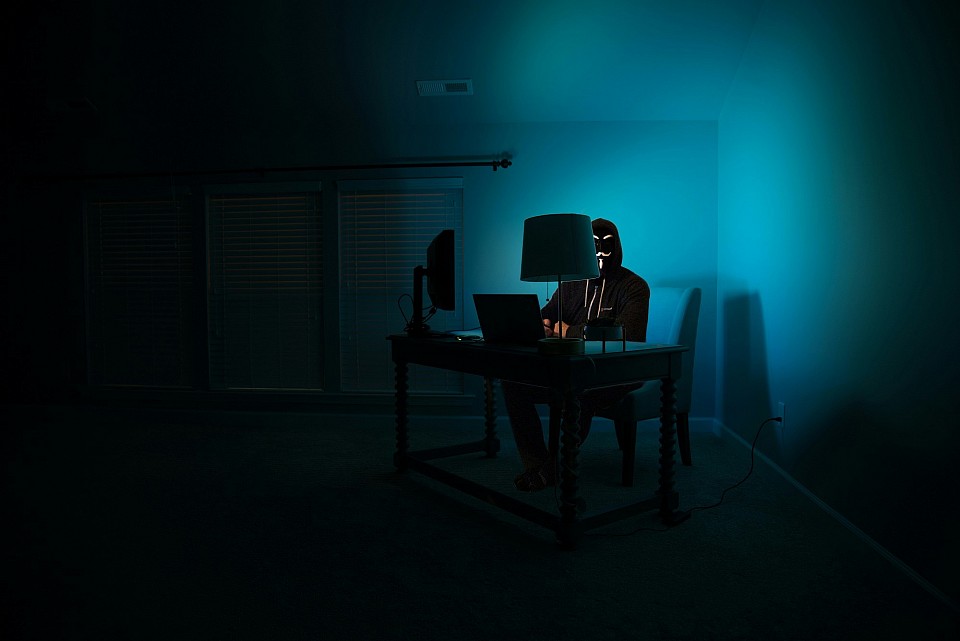
Protect your small business against bad actors
Protect Against Bad Actors: Social Engineering Primer
What is Social Engineering
Social Engineering is a catch all term for extracurricular ways a person may gain access to your private, sensitive networks and digital infrastructure. Attacks using social engineering can include what appear to be legitimate contact attempts to reset a password, to make IT related claims, or to temporarily gain access to a private network.
Anyone Can Be A Victim
Small businesses are commonly targeted for three reasons. Those reasons are:
- Lack of critical network hardening or digital asset protection protocols.
- Lack of an in house or commissioned IT department or project manager for IT related assets / tasks
- Lack of knowledge regarding best practices
- Lack of regulation or oversight for equipment connected to business networks such as computers or cellphones
It only takes ONE successful attack to put you and your company or small business at risk. Smart people, including CEOs of large companies and government liaisons have fallen victim to social engineering attempts that may have seemed innocent or harmless at first. Once an account has been compromised, it can be almost impossible to recover any lost digital assets, data, or funds unless quick action is taken.
What You Can Do
The steps to protecting yourself against these attacks may seem redundant and simple, but they are the best practices as we currently live in a 'zero trust' world. If anyone is pretending to be a friend of your business in order to gain reputation and trust, you should be vigilant and wary of this person around your devices connected to your business network. Simple practices for protecting yourself go a long way to stop people like this in their tracks. This includes:
- Regularly resetting passwords to all connected accounts. This may also include a credentials change in certain frameworks, which involves both login credentials and passwords or keys.
- Use single sign on if possible. Setting up a passkey or 2FA is the next best thing. Passkeys can be setup using virtually any device or a portable physical passkey thumb drive device.
- Credentials for anyone that may be no longer involved with your business should be removed from the network IMMEDIATELY to prevent potential retaliation for dismissal or to mitigate any possibility of misuse.
- Use forwarding email so that your actual email address is never revealed to the public as this can compromise accounts associated with your business.
- Keep payment processing on a separate, secure network.
- Do not allow employees to log in remotely to business networks unless using an approved device with VPN.
- Consider using VPN for your business network to further harden your network against bad actors that may be able to access remote systems.
- Update your operating systems and devices regularly, as much as possible.
- No need to invest in an anti virus software or anti malware protection unless you are government contracted or handle sensitive consumer information subject to privacy laws such as HIPAA.
- Contact your agent immediately if you suspect your accounts are compromised. We may be able to help. The sooner an attack or breach is reported, the faster we can assist you! Reach out, don't be the fall out guy.

⭐PhotoCircle Update
As of January 3rd 2026, your Photocircle Circle has been replaced. Contact your agent or log in to your portal to access your NEW Photocircle sharing group.
ℹ️Download for iOS, Android
For the past 3 years, we have partnered with Photocircle to offer our clients an easy platform for sharing uploaded media and facilitating client approval > publish workflow for agents engaged in marketing / advertising.
In the past, Photocircle only offered one premium tier account that serviced businesses, organizations, and individuals. As of January 2026, Photocircle has ended this legacy program and thus, we have renewed our licensing under the terms and reissued seats to agents that were currently using Photocircle.
⭐What This Means:
Your previous Photocircle will be deleted and inaccessible if it has not been already. You can find your new invitation in your portal, Drive, or contact your agent to receive your invite via QR code, email, or text.
You will not lose access to nor will your agent lose access to any content uploaded to your circle - DSS utilizes multiple backups to ensure that your media and data are secure should anything like this happen. The only media that may have been lost is media that was being uploaded to or available for download but not downloaded before the switch. This content will need to be resubmitted.
However, when you first log in to your new Circle, you may notice that there is content missing. Depending on your needs, your agent may or may not duplicate your media files or choose to work off backups for now and only use Photocircle for sharing and approval for new media uploads from the transition date.
⭐If you need access to any of the media available on your previous Circle that was removed during this process, contact your agent or review your Google Drive link, as you may find backups of media there. We apologize for any inconvenience during this transition.